EC2 create and login with ssh-key
Create EC2, Key Pair, Security group, SSH-KEY and assign key pair
Step 1:- Create SSH-KEY
ssh-keygen
Step 2:- Create terraform.tf file and add provider details.
terraform {
  required_providers {
    aws = {
      source  = "hashicorp/aws"
      version = "5.63.0"
    }

  }
}
Step 3:- Create provider.tf file and add AWS provider details.
provider "aws" {
  region = "us-east-1"
}
Step 4:- Create EC2.tf file and aws_key_pair resource and give public key path.
resource "aws_key_pair" "my_ssh_key" {
    key_name = "terra-key-auto"
    public_key = file("C:/Users/dpkjs/.ssh/id_rsa.pub")
}
Step 5:- Create security group resource and allow TCP 22 port in ingress rule
resource "aws_security_group" "my_sg" {
  name= "my-sg"
  description = "This is a security group"

  ingress {
    from_port = 22
    to_port=22
    protocol = "tcp"
    cidr_blocks = [ "0.0.0.0/0" ]
  }

  egress {
    from_port = 0
    to_port = 0
    protocol = "-1"
    cidr_blocks = [ "0.0.0.0/0" ]
    description = "this is for outbound"
  }
}
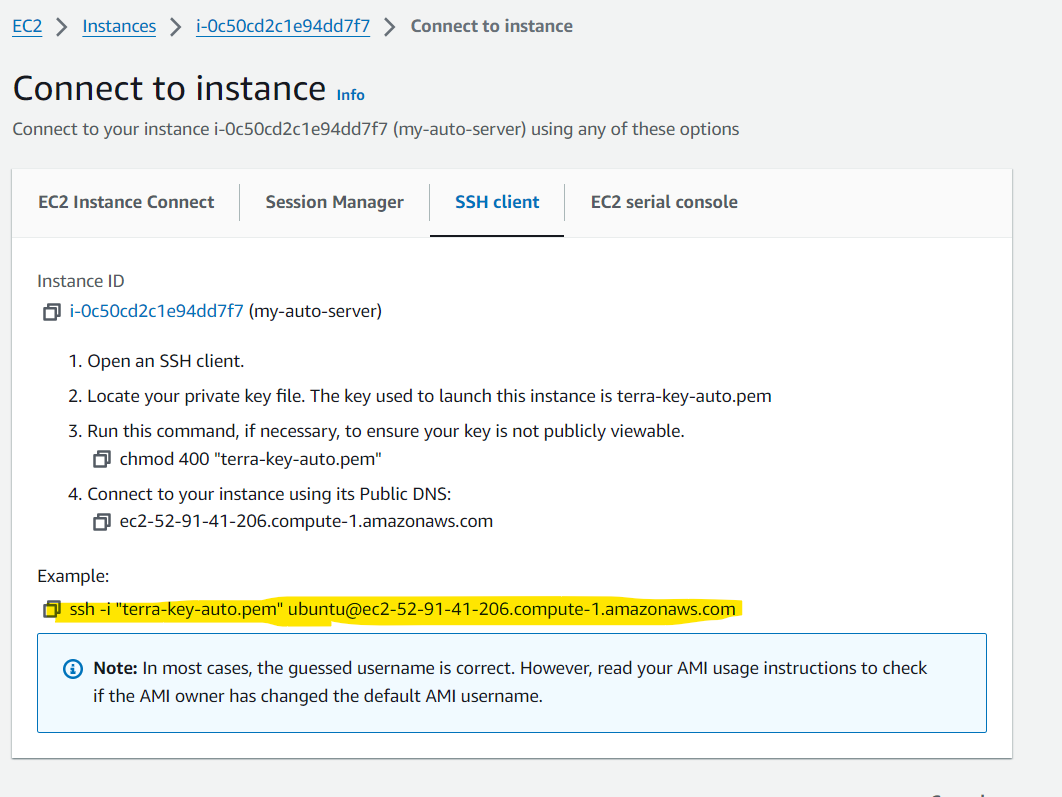
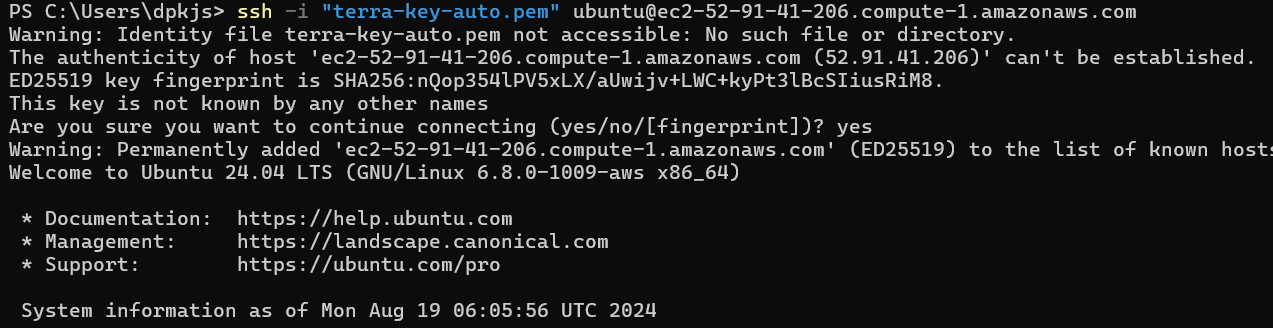
Step 6:- Now login to EC2
Comments
Join the discussionNo comments yet. Be the first to comment.